The Navy STEM Crew is a dynamic group of student leaders who are dedicated to cultivating the next generation of naval engineers. Our student-powered team, is responsible for leading our Build-a-Boat and SeaPerch programs, mentoring future engineers, and designing impactful STEM experiences that strengthen and inspire our community and greater maritime industrial base. As a primary outreach arm of the UConn/URI Navy STEM Coalition, the Crew bridges the gap between academia and industry leaders like General Dynamics Electric Boat, to empower students to explore maritime careers.
Our Navy STEM Crew Officers are 4 of our most outstanding students who have taken on additional leadership responsibilities in addition to their Crew member roles.
If you are a UConn undergrad Engineering student and are interesting in joining our Navy STEM Crew, please contact rebecca.labonte@uconn.edu
Captain: Adeline Smith
Addy is a senior majoring in biomedical engineering with a concentration in systems, imaging, and instrumentation and minoring in electronics & systems, mathematics, and English. She is the President of the Navy STEM Crew and UConn Society of Women Engineers. She has been a part of the Navy STEM Crew all throughout her college career, visiting K-12 classrooms throughout CT. Her favorite part of STEM education and outreach is getting to share her own passion for engineering with the next generation of students. Addy has internship experience in the medical device industry where she will pursue her career after completing her MS in biomedical engineering at UConn.

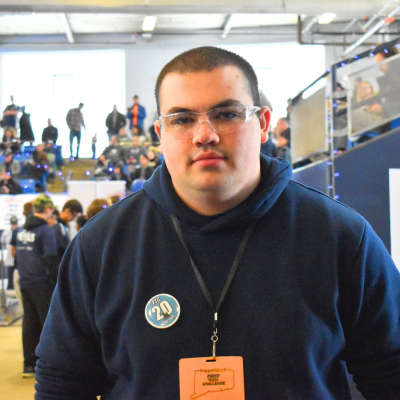
Commanding Officer: Eamon Manley
Eamon is a senior studying civil engineering. He is the vice president of Navy STEM Crew and has been involved with the program since 2024. Outside of class Eamon is a member of the UConn Marching Band. His favorite part of STEM education and outreach is getting to help students work through challenges in their projects and develop an engineering mindset so that they have the confidence in their abilities to pursue careers in engineering. Eamon has internship experience in the field of structural engineering which he will pursue a career in after graduation.
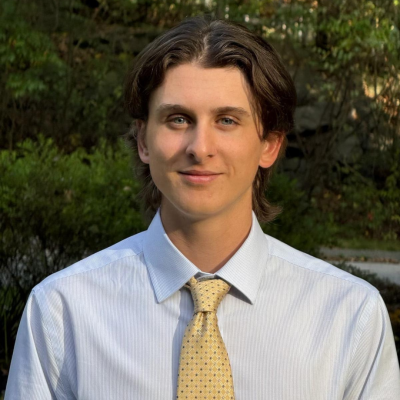
Command Master Chief: Ingrid Magallanes
Ingrid is an undergraduate student studying multidisciplinary engineering with minors in physiology and neurobiology and in material science engineering. Outside of class, she works in Dr. Dupuy's lab, assisting with ceramic material synthesis and processing for biomaterial applications. She enjoys learning about the innovations in STEM and likes sharing this excitement with young students. Outreach visits are always refreshing seeing how their questions develop into ideas that come to life! She wishes to continue making a meaningful impact in STEM with her outreach and research.
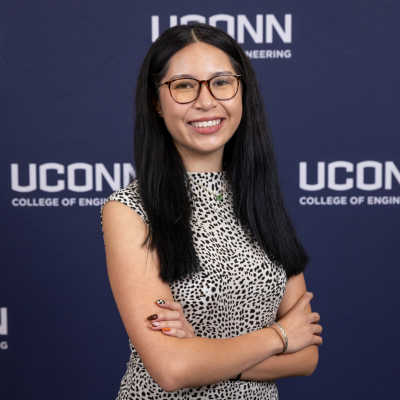
Graduate Officer: Joey Macary
Joey is a Master's of Public Administration student, looking to enter a career in the nonprofit field. He works for the Navy STEM Crew, is an intern on the Engagement & Impact Team at Connecticut Foodshare, and is a Maker Fellow for the UConn Innovation Zone. Joey also works with the Tolland County Robotics Foundation where he mentors youth robotics teams. He enjoys working with younger students, teaching them new things, and helping them to learn what they're capable of achieving in the STEM field. Joey primarily works with the SeaPerch program.